
How to Research a Business Idea with Market Signals
A practical Trend Seeker workflow for finding an idea, reading its attached evidence, checking demand and competition, and testing a specific product angle.
8 min read
Introduction
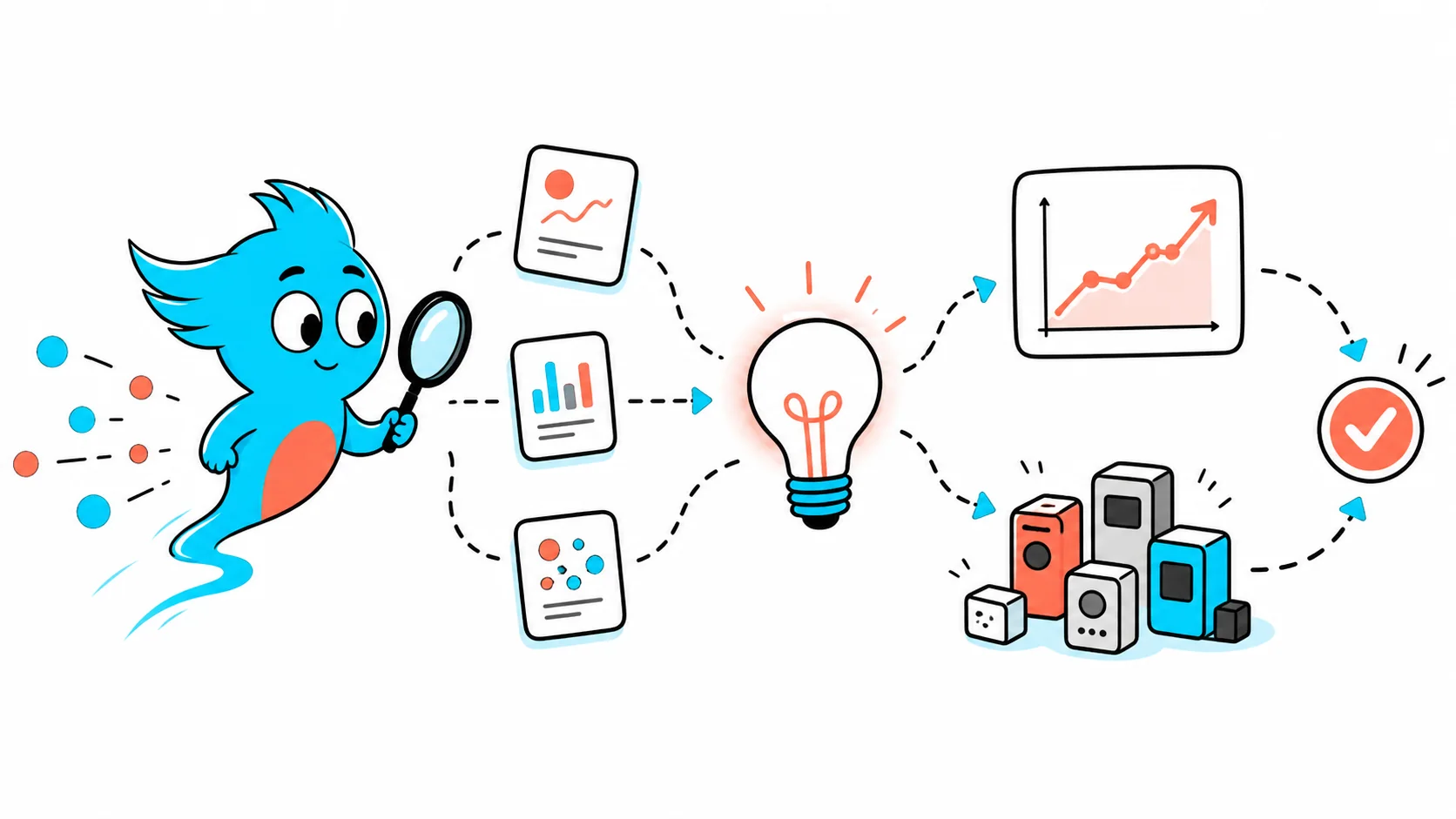
A useful business-idea research flow has five stages: discover an idea, inspect its evidence, compare demand with competition, test your specific angle, and monitor what changes. You do not need to browse the global Live Signals feed after selecting an idea. The idea's own Signals tab is the scoped research view.
| Stage | Question | Where to look |
|---|---|---|
| Discover | Which problems are worth opening? | Ideas, the newsletter, or Live Signals |
| Inspect | What evidence supports this one idea? | The selected idea's Signals tab |
| Compare | Is demand strong enough relative to supply? | Opportunity, trends, launches, and competitors |
| Test | Does my customer and product angle improve the odds? | Idea Validator and customer research |
| Monitor | Has new evidence changed the decision? | Monitors and scheduled evidence reviews |
1. Start with Either Discovery Route
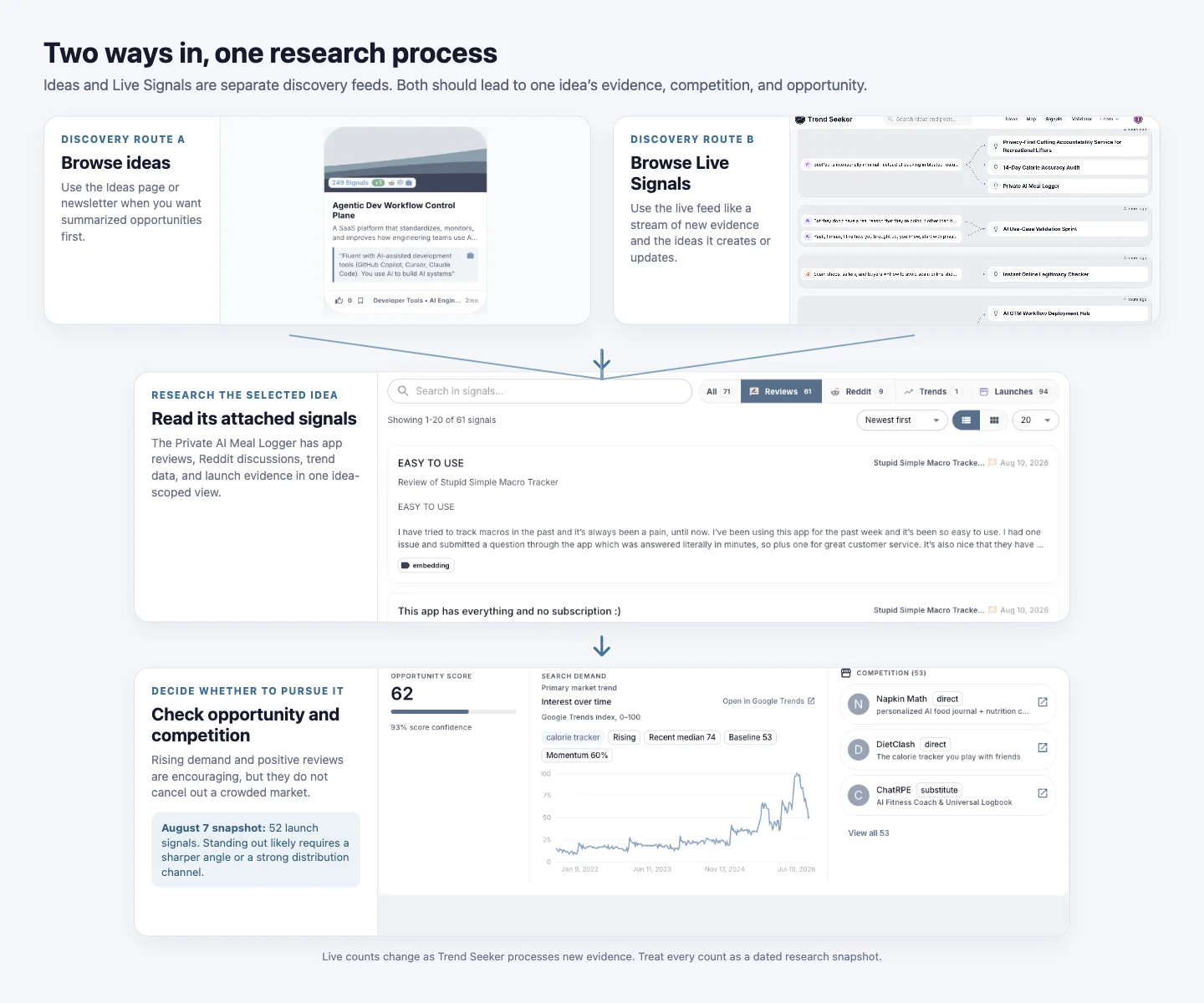
Use the Ideas page or newsletter when you want the pipeline to summarize evidence into opportunities first. Each idea card gives you a problem and product direction to investigate. This is usually the quicker route when you want a shortlist.
Live Signals is an alternative discovery feed. It is useful when you want to browse new Reddit discussions, reviews, launches, podcast passages, and other evidence as they enter the system. A signal can create or update several ideas. That makes the feed useful for finding a direction, but it is not the place to finish research on a selected idea.
2. Move into the Selected Idea's Signals
Once an idea looks interesting, open it and switch to its Signals tab. This view contains evidence attached to that idea rather than signals from the entire pipeline. Filter by source, read the strongest items, and open the original source when the claim matters to your decision.
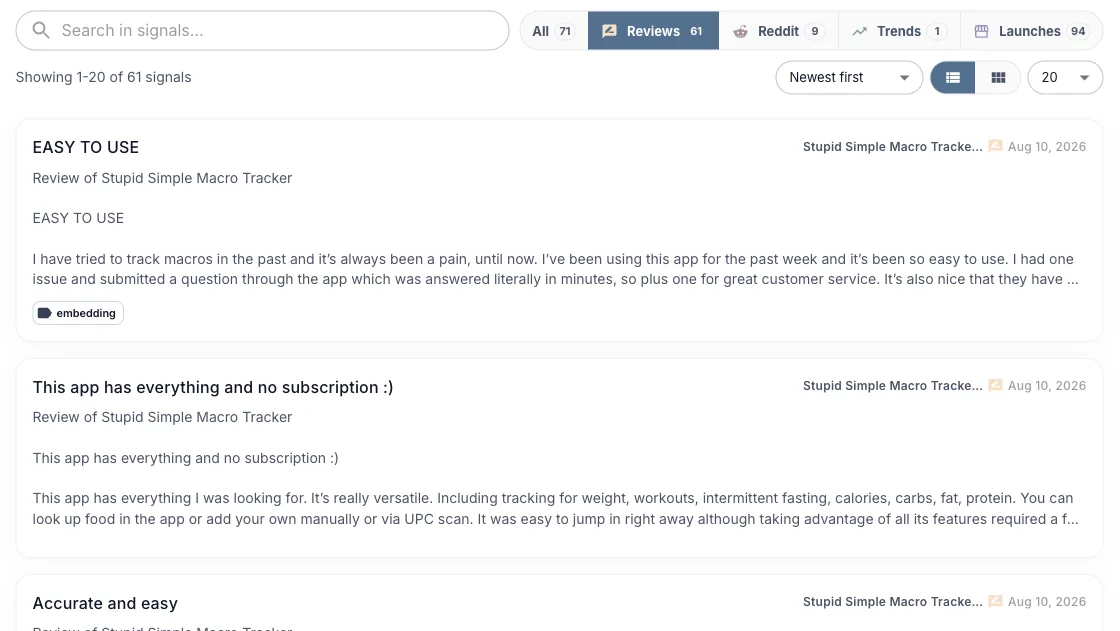
Read each source for the question it can answer. Do not add unlike evidence into one mental score.
| Evidence | Useful for | Does not prove |
|---|---|---|
| Reviews | Product friction, missing features, and language users employ | Market size or willingness to switch |
| Reddit and community posts | Problem context, workarounds, urgency, and objections | A representative customer sample |
| Google Trends | Relative search interest and direction over time | Revenue, conversions, or absolute search volume |
| Job ads | Work companies are budgeting for | A preference for buying software or services |
| Launches and competitors | Existing supply, positioning, and crowded segments | Demand by themselves |
3. Compare Demand with Supply
Positive reviews and a rising search trend can make an idea look attractive. Before treating those signals as a decision, check launches and named competitors. A growing market can still be hard to enter when many products already solve the base problem.
The Private AI Meal Logger is a useful example. Review evidence contains recommendations for calorie and macro-tracking products, and Google search interest was rising. But the August 7 snapshot already contained 52 launch signals. By the August 11 capture used above, the live idea view showed 94. The measures are snapshots rather than a fixed market total, but both point to substantial supply.
This does not automatically make the idea bad. It changes the question from “Is anyone interested?” to “Why would this customer choose this product?” A sharper customer segment, a product advantage that users can feel, or a distribution channel others cannot copy may still create room. Without one of those, another calorie tracker will have a difficult time standing out.
4. Use Scores to Prioritize, Not to Stop Thinking
The opportunity score helps compare ideas on Trend Seeker. The demand trend adds direction. Competitor and launch views add supply context. Use them together to decide where to spend research time. None of them predicts whether your exact product will work.
Write down the interpretation before moving on:
- Demand: What repeated problem or behavior appears across sources?
- Supply: How many close substitutes exist, and how do they position themselves?
- Gap: Which customer, workflow, constraint, or distribution advantage is underserved?
- Risk: What evidence would most quickly prove your interpretation wrong?
5. Validate Your Specific Version
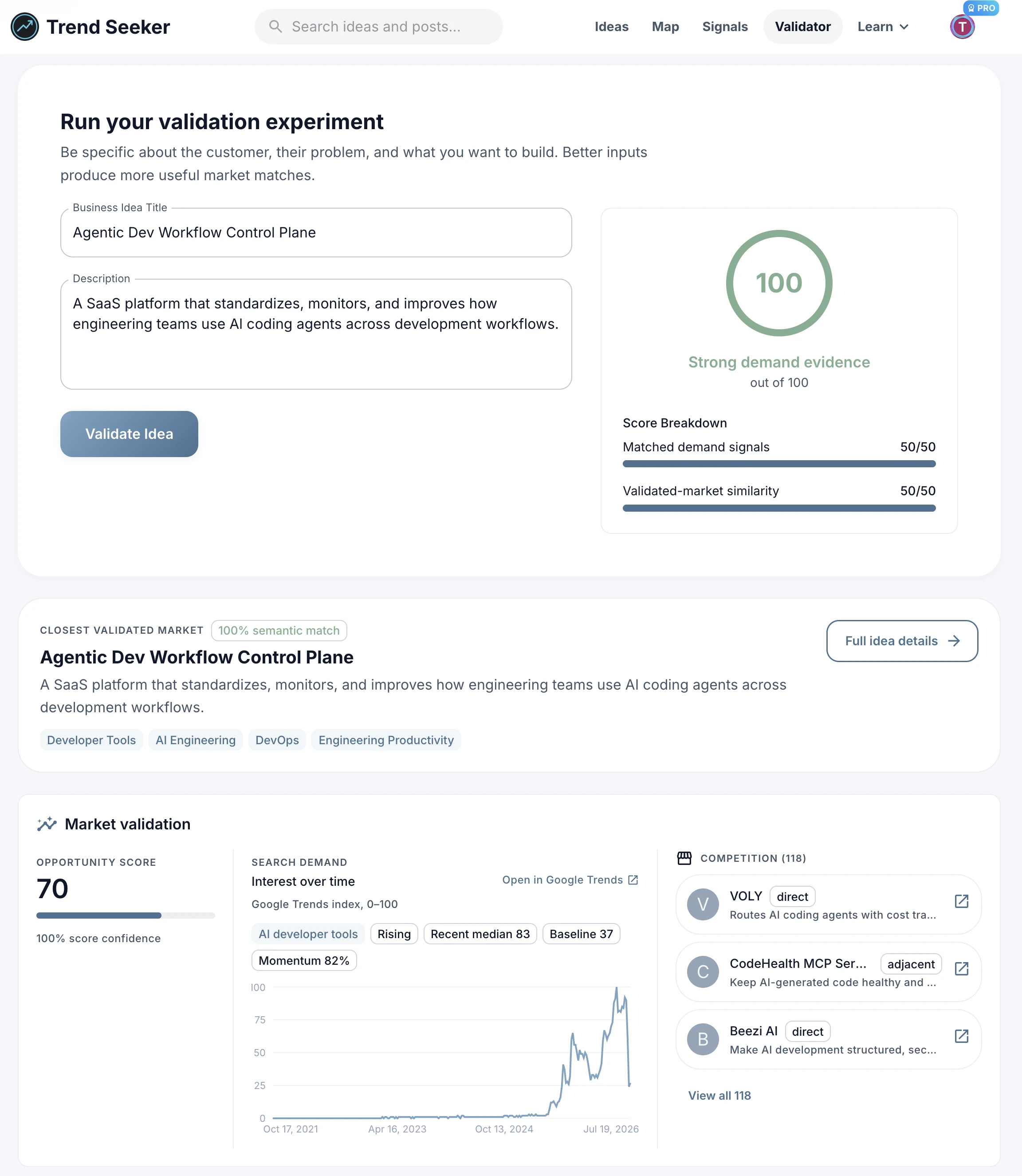
The idea page describes a market direction. Your proposed product is narrower. Put the actual customer, problem, workflow, and product angle into the Idea Validator. The result shows the closest validated idea, the score breakdown, related evidence, available demand history, and competitors so you can see which parts match.
Then leave the dataset and talk to people. The next step is usually five to ten conversations with the target customer, followed by the smallest test that asks for meaningful commitment. That might be a paid pilot, preorder, letter of intent, or a manual service. The five-step startup validation guide covers that part in more detail.
6. Monitor What Changes
A completed research pass is a dated snapshot. Trend Seeker Monitors is rolling out soon to watch selected sources for new matching evidence and send it to Telegram or a webhook. Start one after you have narrowed the customer and problem language. Monitors begin when they are created or resumed, so keep the original report as your baseline rather than expecting historical replay.
A Short Research Checklist
- Find a direction through Ideas, the newsletter, or Live Signals.
- Open one idea and stay inside its attached Signals view.
- Read original sources behind the strongest claims.
- Separate demand evidence from launches and competitors.
- Write down the customer, gap, distribution advantage, and biggest risk.
- Validate that specific version, then test it with real customers.
- Monitor the riskiest claims and rerun the decision when material evidence changes.
The important transition is from broad discovery to idea-scoped research. Live Signals can help you find something new. Once you have an idea, the evidence attached to that idea is what should drive the next decision.
Ready to find your next business idea?
Explore validated business ideas backed by real user demand.